
AI
AI that works with clinicians, not instead of them.
Yuktii uses AI to reduce repetitive documentation and speed up follow-up — never to replace clinical judgement.
What it does
Assist, don't decide
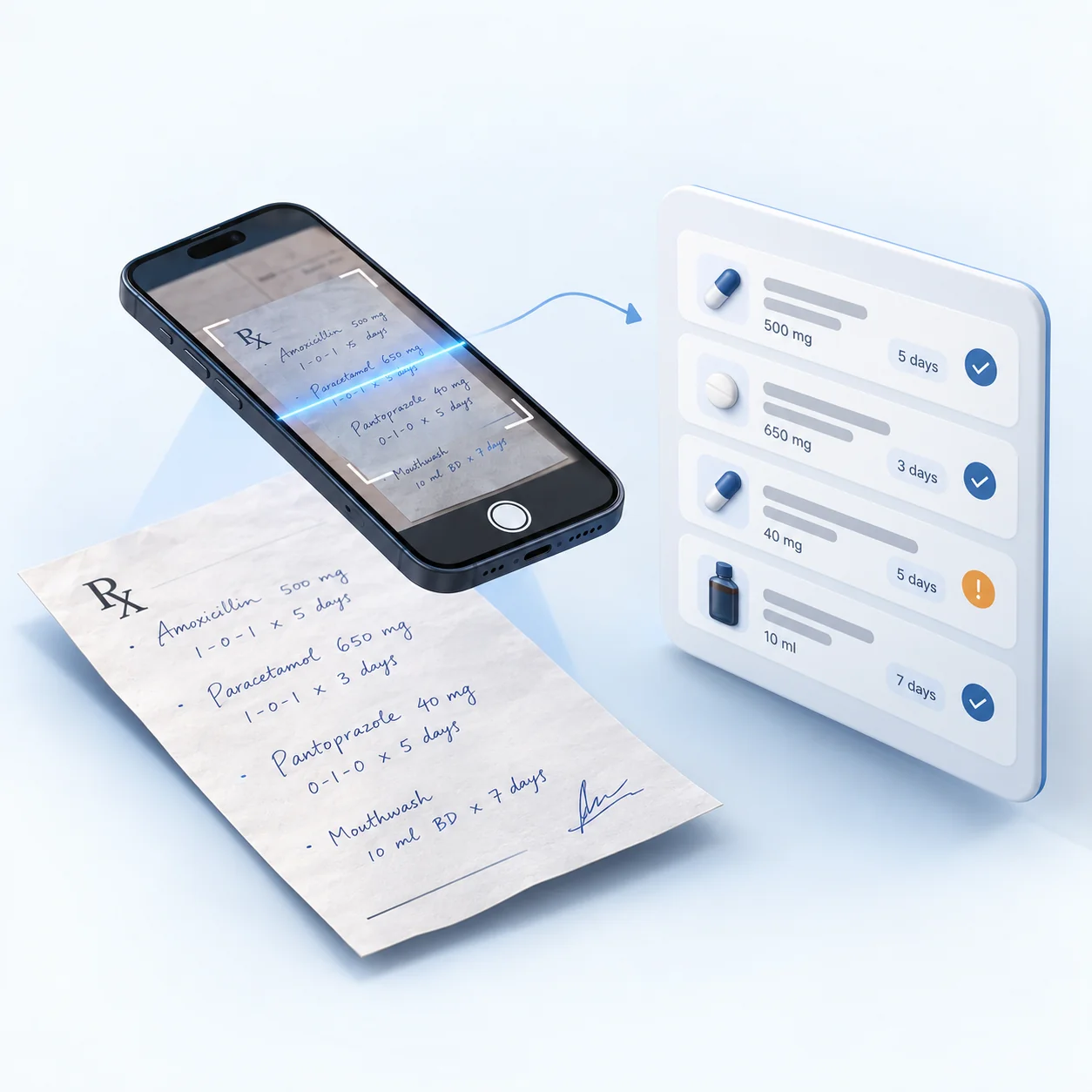
Photo of a prescription → Reviewable medicine list
Photograph a paper prescription and AI reads the medicines, dosage and duration into the prescription form. Unclear items are flagged for review, checked against the patient's allergies, and nothing saves until the doctor confirms.
Voice → Consultation fields
Dictate into the consultation record: say a field name such as "chief complaint" or "diagnosis" and your words are written into that field for you to review.
Patient history → Context
For patients who have given AI-analysis consent, treatments, medicines and recalls are compiled into a one-page summary before the visit.
Clinical data → Documentation
What is recorded during the visit is turned into a clean, consistent record.
Treatment → Documentation
Treatment and procedure steps are documented from what was done.
Follow-up → Automation
Recall lists and reminders are generated from the visit's follow-up plan.
Clinicians remain in control. Every AI-assisted output is reviewed and confirmed before it is saved.
Where it shows up
AI by specialty
See how AI assistance fits a specific specialty's workflow.
AI — common questions
Does Yuktii's AI make clinical decisions?
No. Yuktii's AI assists with documentation, context and follow-up. It does not diagnose conditions or make clinical decisions. The clinician reviews and confirms every AI-assisted output before it is saved or shared.
Can Yuktii read a paper prescription?
Yes. Photograph a paper prescription and AI reads the medicines, dosage and duration into the prescription form. Anything it can't read clearly is flagged for review rather than guessed, and it's checked against the patient's recorded allergies and current medicines. The doctor edits and confirms before anything is saved — a scanned prescription can also be logged as an older, historical record rather than for the current visit.
How does voice dictation work?
In the consultation record you can speak instead of typing. Say the name of a field, such as chief complaint, findings, diagnosis, treatment plan or advice, and what you say next is written into that field; you can also say a medical-history item followed by yes or no. Dictation is in English (India) and writes what you say for you to review and edit. It does not listen to a whole conversation and write the note by itself.
Does Yuktii analyse medical images?
Image interpretation remains with the clinician. Where image analysis is offered for a specialty, it is assistive only and is clearly labelled as such.
Is AI part of Yuktii by default?
Yes, AI-assisted features are part of Yuktii, in two kinds. While you type in a note field, a suggestion based only on the text you have typed there can appear; you accept it with Tab or dismiss it. Features that read a patient's record, such as the patient summary and tooth and treatment suggestions, run only for patients who have given AI-analysis consent. The clinician reviews and confirms everything before it is saved.
Your data
Your data, your reports, your call
Everything you enter belongs to your clinic
Clinic and patient data is the clinic’s own. A clinic admin can download all of it whenever needed as one Excel workbook, with a sheet each for patients, appointments, treatments, prescriptions, billing, payments, inventory and staff.
Moving from another software?
Send us your existing records as an Excel or CSV file. Our team maps the columns, checks every row for problems and imports your patients, appointments, treatments, prescriptions, invoices and payments after review. An import can be rolled back if something is wrong. Talk to us about switching.
Reports you can download as PDF
Download the overview, today’s snapshot, revenue, expenses, patients, doctors, treatments, medicines, lab cases, stock and doctor commission as PDF reports. The analytics cover clinical, revenue, patient, doctor, inventory and operations views for any period you choose, with AI insights on top.
How it works
Live in three steps
- 01
Sign up and set up
Create your clinic and pick your specialty in the setup wizard. No card needed.
- 02
Make it yours
Edit the presets, procedure templates, consent forms and prescription templates, and add your letterhead and hours.
- 03
See your first patient
Most clinics are live in under 10 minutes, with appointments, records and billing already connected.
Healthcare works differently for everyone. Your software should too.
Discover how Yuktii adapts to the way your specialty and practice work.
Or start for free.
- Free to start
- No credit card
- Every specialty workflow
- GST-ready billing
- WhatsApp reminders